

The Only Product Launch Checklist You Need
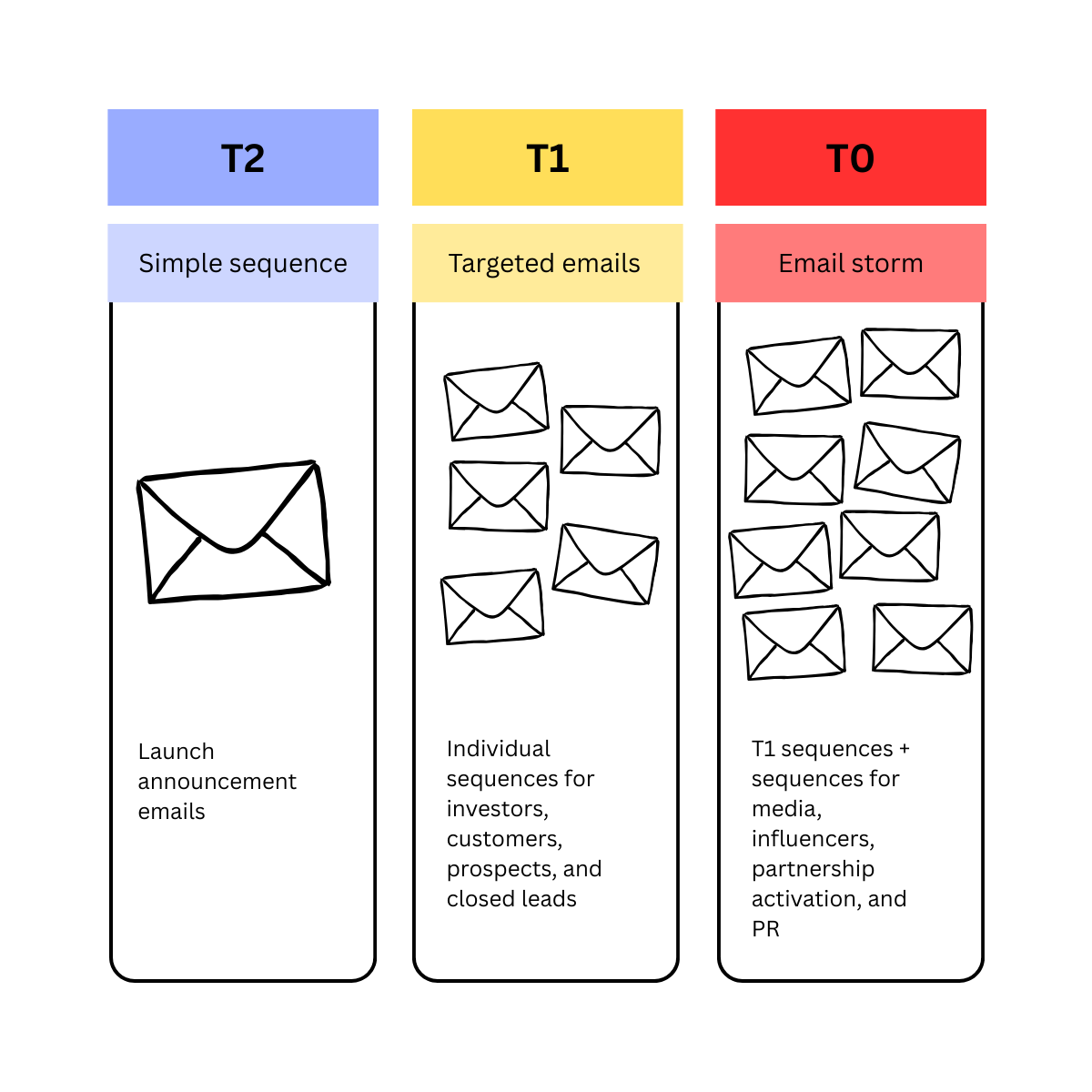
Most product launch checklists were written by someone who has never actually launched a product.
They include 18 steps, half of which belong to teams you don't manage, and none of which help you figure out if your launch should be big or small.
I built this checklist after years of running launches at B2B SaaS companies.
It only covers what you can actually control as a product marketer, and uses a tiered system that matches your effort to the size of the update.
How to size your launch
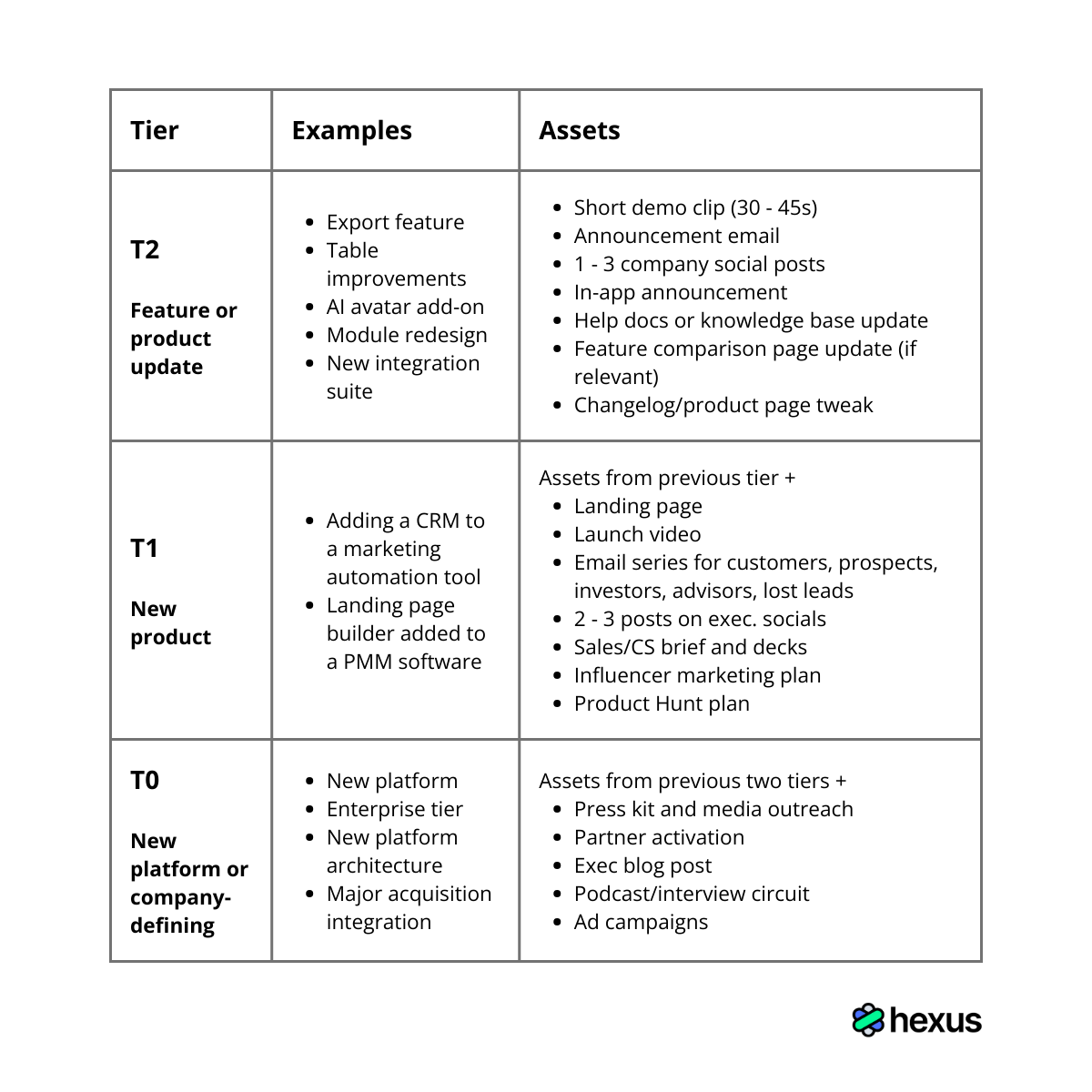
Before you write a single word or open Figma, decide which tier fits your launch.
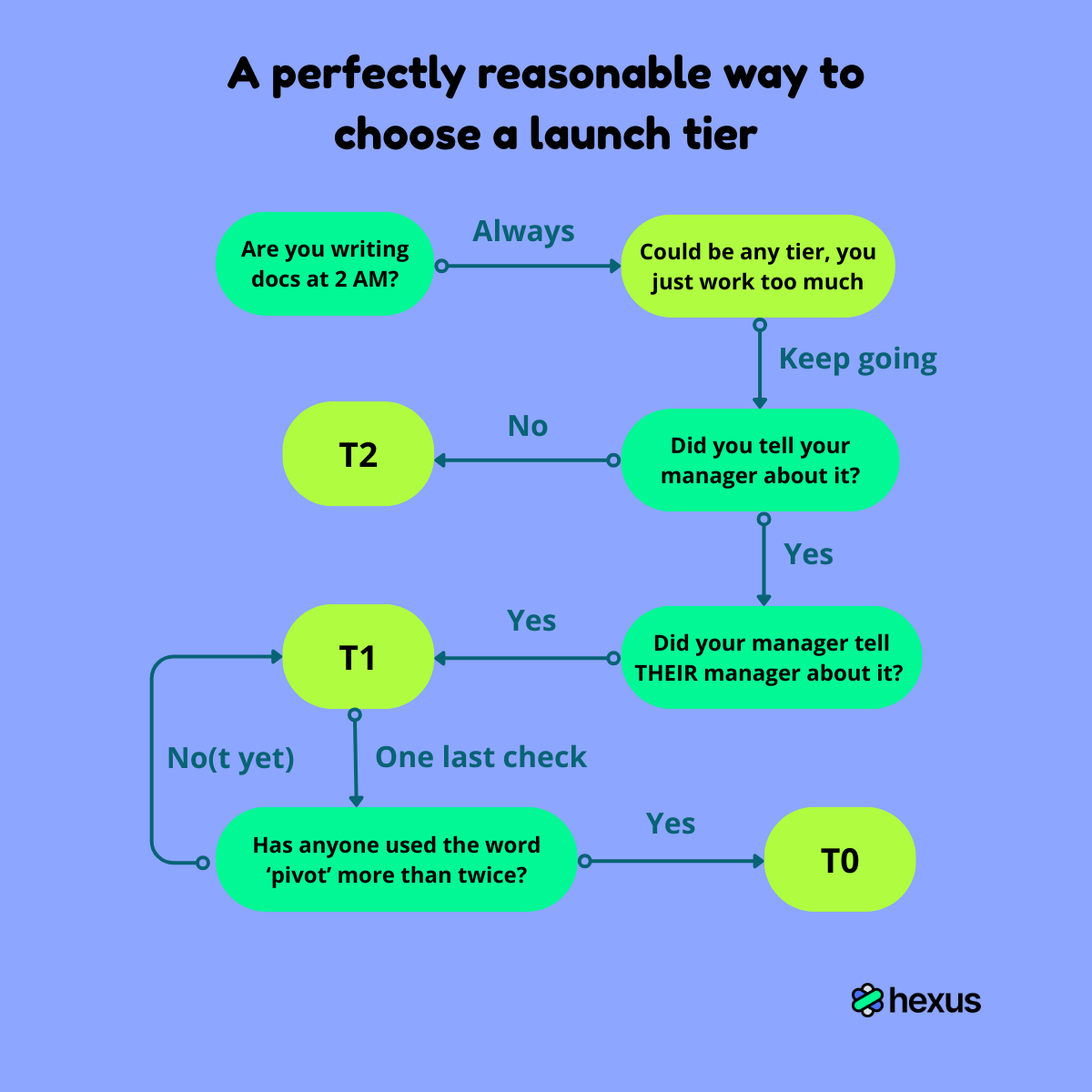
Feature updates (T2) might just need a short demo clip, an email, a blog post, and a few social posts, while platform launches (T0) must get a complete landing page, multi-email sequences, social campaigns, partner activation, Product Hunt listing, exec tweets, and the (fire)works.
Here's how I choose:
1. Define your messaging
I usually spend about 30 minutes on this and then copy-paste it into everything for the next two weeks.
Write one specific use case, one outcome-driven value proposition, and 2 to 3 proof points. This becomes the foundation for every asset you create.
Here's an example:
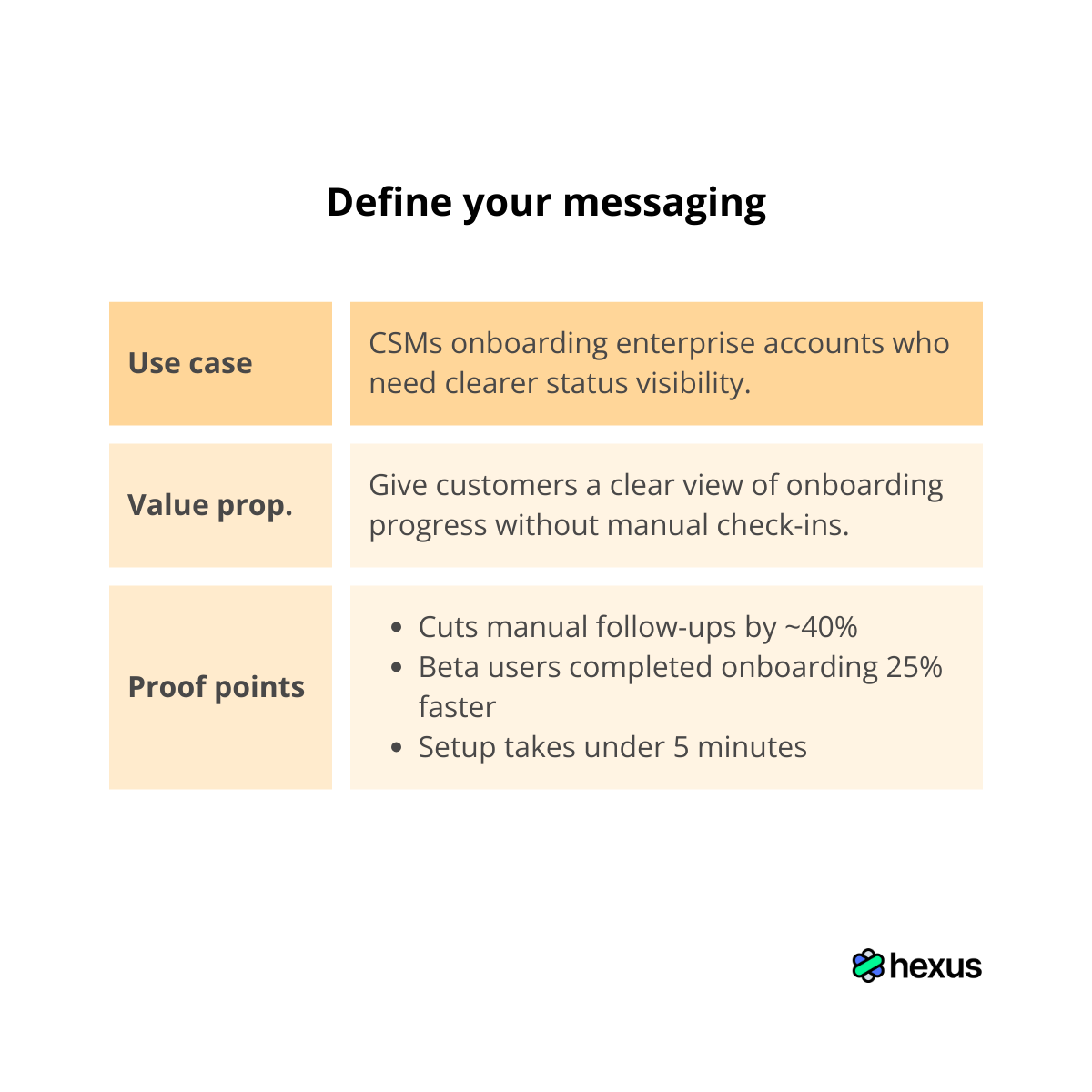
Once you have this locked, you can drop it into your landing page, demo script, announcement email, and social posts without rebuilding the message from scratch each time.
It's the closest thing to a free lunch in product marketing.
2. Record a product demo
Once your positioning is set, you need to show the value in action. And the best way to do it is with a product demo.
Record one clean, end-to-end walkthrough of the workflow you're highlighting.
This becomes the source material for landing page screenshots, email GIFs, social posts, sales decks, internal enablement, and everything else.
I use Hexus for this because I can record once and export the same workflow as a video, a demo, or even a blog post without starting over each time.
Here's how it works:
- Open the Hexus Chrome extension and record the full workflow.
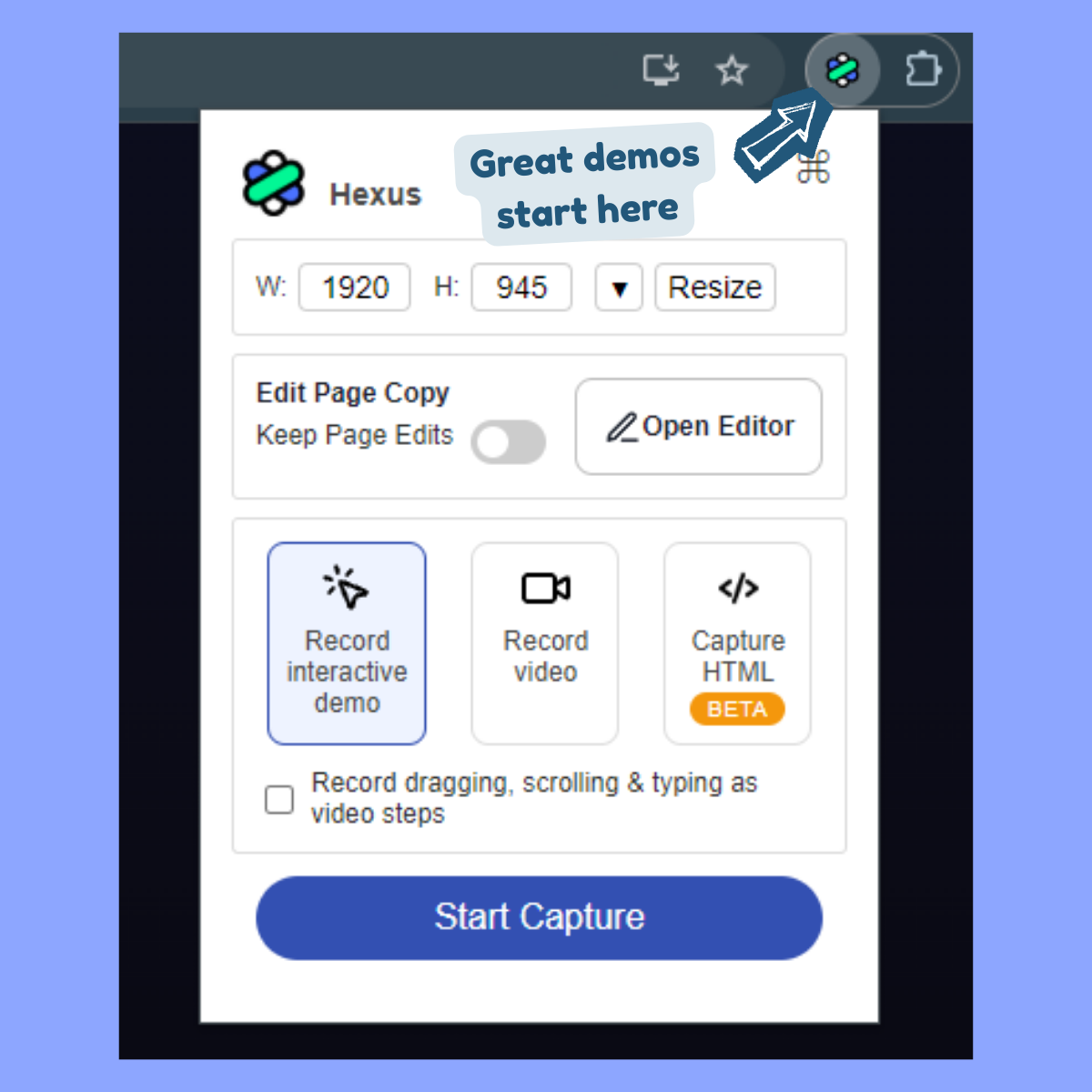
- Hexus auto-generates a step-by-step tour with screenshots, captions, and hotspots.
- Edit any steps or text directly in the visual editor.
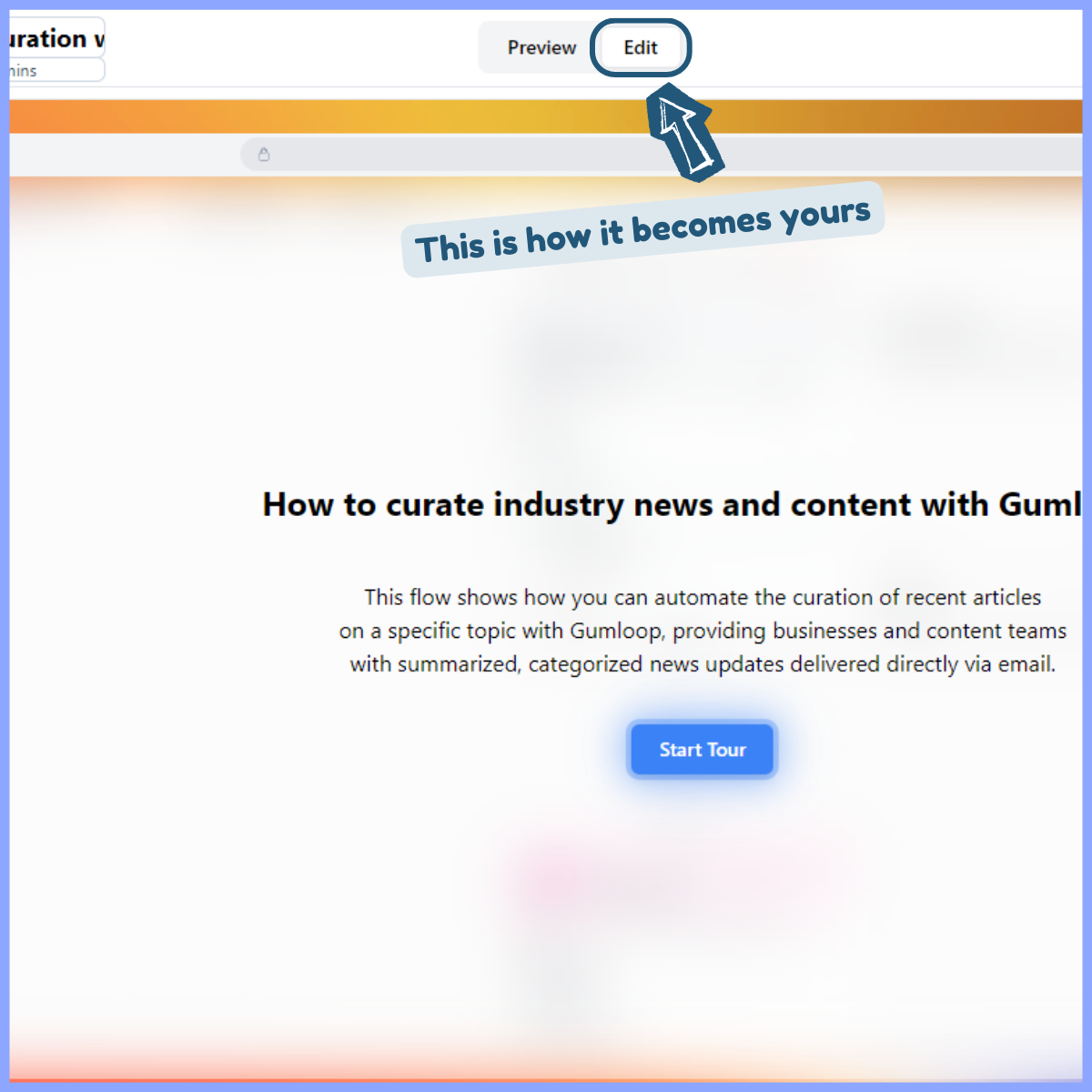
- Export as a demo video, GIF, screenshot, and whatever other format you need.
- You can also just repurpose this into a blog post, newsletter, or social media post.
You end up with one source demo that you can repurpose across every channel without rebuilding it manually for each format.
3. Write the launch blog post
I keep the launch blog posts short, direct, and heavy on visuals so people can skim the workflow without reading every word.
Here's the structure I follow:
- Start with the problem the update solves.
- Show the new capability with a demo clip or screenshots.
- Explain the outcome in one or two lines and tie it back to your value proposition.
- Add a "how it works" walkthrough using 3-4 steps.
- Finish with a CTA to try the feature or book a demo.
You can repurpose your recorded demo in Hexus directly into the blog post and shave off time from your launch prep.
Hexus auto-generates step-by-step frames with captions from your original recording, so you don't need to manually screenshot everything again.
Notion's feature launch blogs are a solid reference for this format with a clear intro, clean visuals, and a straightforward explanation of what's new.
4. Create the email sequences
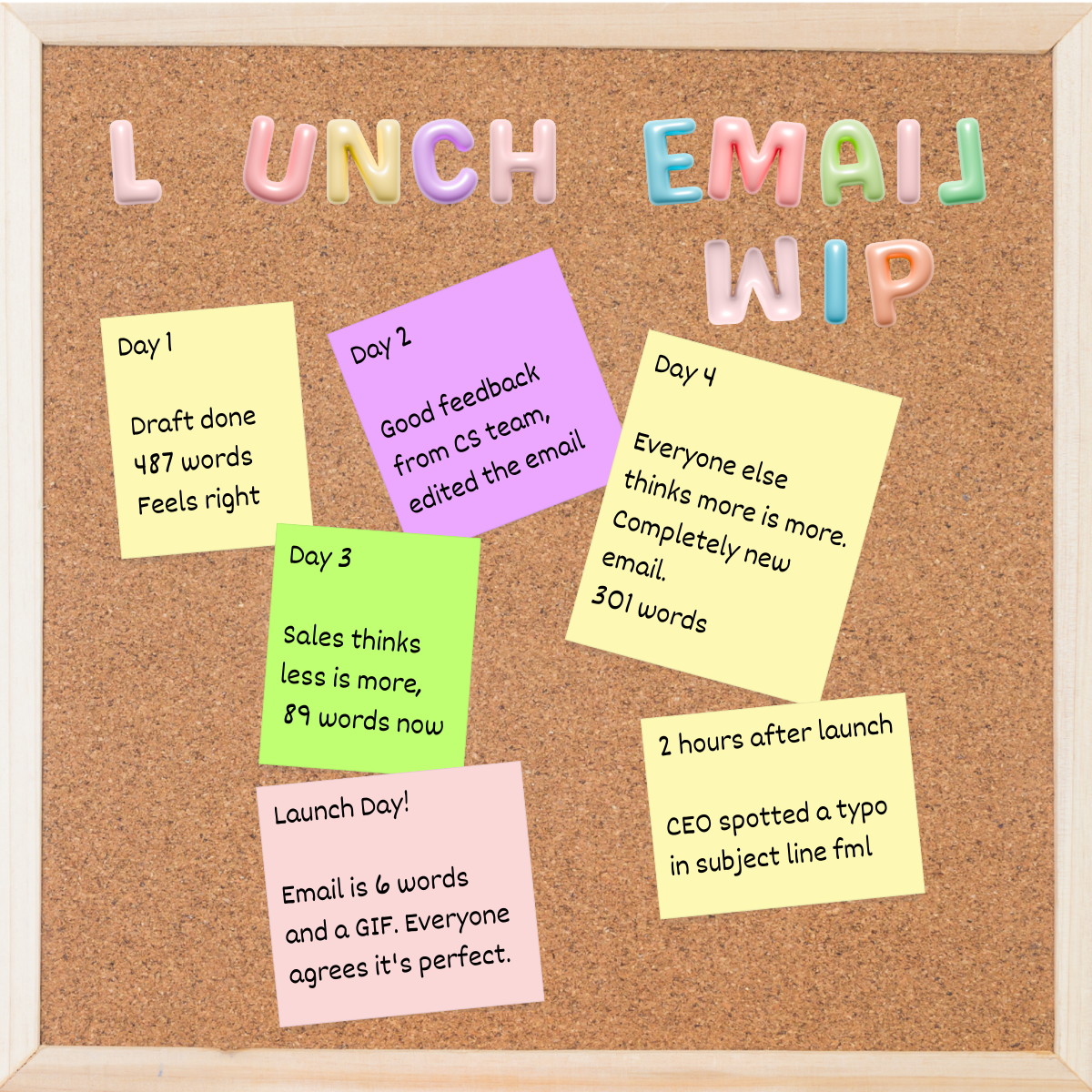
Keep these emails short, outcome-focused, and supported by one visual that shows the workflow at a glance.
I like to have a clear structure that makes the announcement easy to scan and act on:
- Start with a direct, outcome-focused subject line
- Lead with one sentence explaining what the update helps users do.
- Add 1-2 lines describing what changed and who benefits.
- Insert a GIF or screenshot that shows the workflow clearly.
- Close with a CTA to try the feature or learn more.
If you’re starting from loose notes or a rough outline, use Hexus to create a clean, structured announcement.
The text-based stories template lets you apply the newsletter format and add visuals for a polished email that aligns with the rest of your launch assets.
Based on your launch tier, here are the email assets to create:
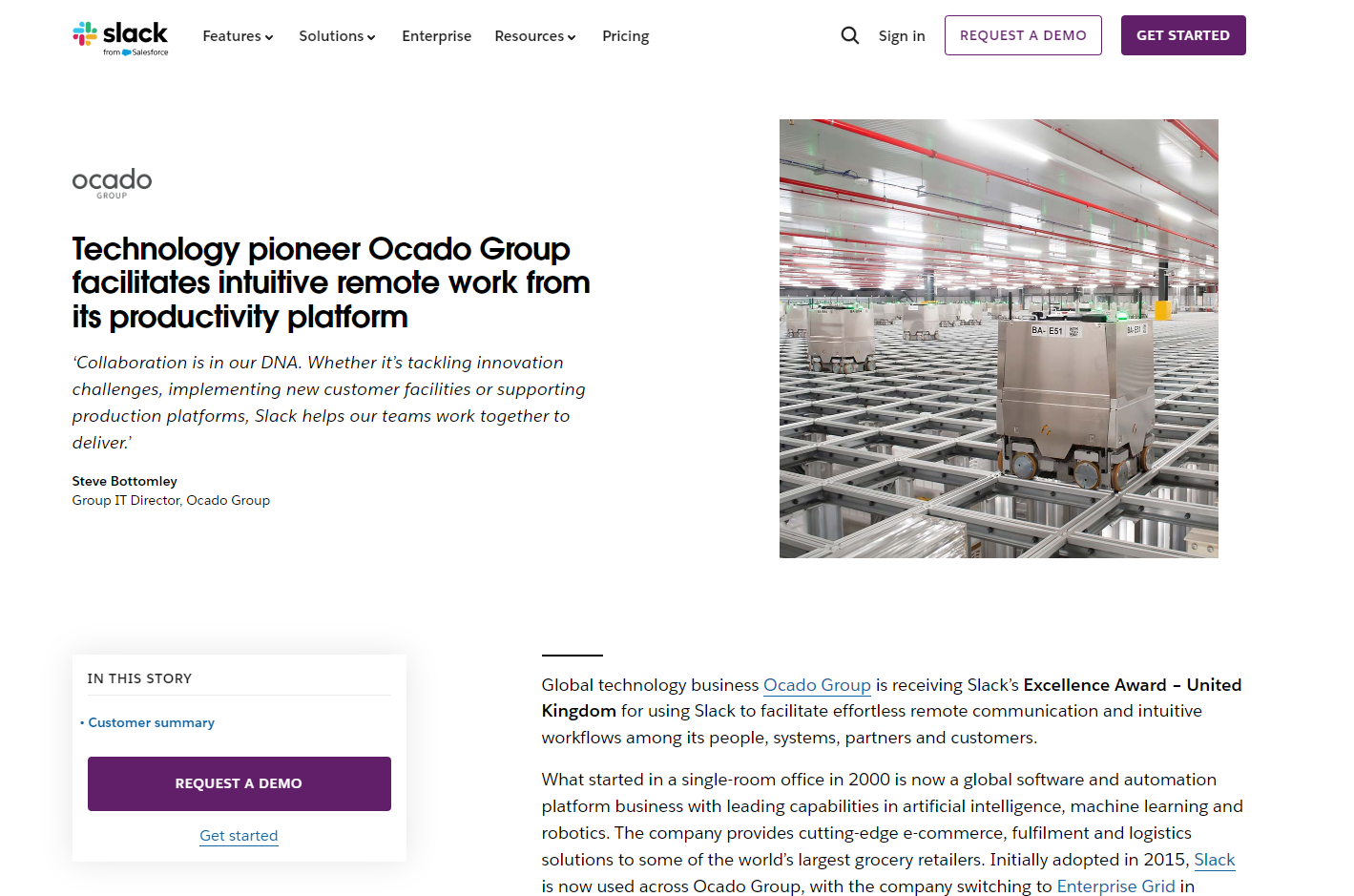
I'm signed up for Airtable, Slack, Figma, Notion, and a few other product-led companies, so I can see how they announce new features in real time. This kind of sleuthing is the best way to get email inspiration because you see the full sequence.
But I also go on these sites when I need something specific:
- Really Good Emails - Probably the best resource for getting a wide range of styles and formats.
- Email Love - Solid for visual inspiration. The curation is tighter here, so the quality is high, quantity is low.
- Good Email Copy - You won’t find many product launch emails here, but I just love the copy used in the emails that they curate.
5. Write the company LinkedIn and X post
Videos perform well on LinkedIn, so I pair the copy with a demo clip that shows the change in action.
For X, I use memes and GIFs as people scroll faster there and have the attention span of a caffeinated hummingbird.
Here are some great examples of product launch posts on LinkedIn and X:
This is a solid example from Cursor for a T2-level product launch, as it’s concise, clear, and entirely focused on what’s new. One outcome line, a tight list of improvements, and a 10-second product video, showcasing the features in action.
This is another great product launch post by ClickUp, featuring ClickUp 4.0. Instead of a short demo video, they’ve explained their new features using a short carousel–perfect for LinkedIn.
I also like this Product Hunt launch announcement post on X by Aha, because it gets straight to the point: what launched, why it’s a big deal, and who it’s for, with a short product video for a sneak peek.
If you've already recorded your workflow or created a text-based draft in Hexus, you can reuse those assets here.
Here are the social media assets you’ll need depending on your tier:
- T2: One simple post with a short clip or screenshot.
- T1: A teaser earlier in the week + launch-day post.
- T0: A multi-post sequence with variations for product, brand, and partner teams.
Cursor's posts are a solid reference for T2-level launches with one outcome line, a tight list of improvements, and a 10-second product video showing the features in action.
6. Create the CEO’s LinkedIn post
Exec posts on LinkedIn live or die based on whether they feel like a real person wrote them or a comms team trying to sound human.
The posts that perform well lead with a problem the founder personally cares about, explain why the team built this specific solution, and end with what it means for users.
Here's what I've seen work:
- Open with the problem you kept hearing from customers or the workflow issue that annoyed your own team. Make it specific enough that readers recognize it immediately.
- People want to know why you built this instead of something else. What tradeoff did you make? What did you say no to? The reasoning is more interesting than the feature itself.
- Pair the post with a short video (1-2 minutes max) where you walk through the actual product. Screen recordings work better than polished marketing videos. People want to see the thing, not a trailer for the thing.
- End the post with what changes for users and make sure the benefits are NOT in the abstract. Talk about the actual workflow changes.
ClickUp's CEO, Zeb, does this well.
His feature launch posts pair a clear founder narrative with a tight video explaining why they built it, what problems it solves, and how the experience works.
I feel like he's explaining a decision to a friend, instead of going on video for a press release.
7. Prep for your Product Hunt launch
Product Hunt can get you in front of a lot of people quickly if you prep your assets ahead of time, but it's worth being honest about what you'll actually get out of it.
A few years ago, PH felt like a place where small indie makers could launch something scrappy and actually break through.
Now it's mostly a showcase for companies with funding, polished marketing teams, and existing audiences to drive traffic.
If your product targets other founders or developers, it might be worth the effort. If you're selling to anyone else, PH is less of a distribution channel and more of a team milestone.
I still prep for it when the launch is big enough, but I treat it as one piece of the puzzle, not the centerpiece.
Pick a strong day (Tuesday to Thursday) and get everything ready before you go live.
Here's what I prepare:
- Create your PH assets: a clear tagline, one-line description, simple thumbnail, 2-4 gallery images, and a 30-60 second demo video.
- Write your announcement email and social posts at least 2 weeks in advance and schedule them so everything publishes as soon as your PH page goes live. Trying to write these the launch week will feel like cooking dinner while your kitchen is on fire.
- Update your landing page so new visitors see the latest messaging. PH traffic spikes for about 16-48 hours and then vaporizes as if it never existed.
- Plan your outreach carefully. Rajiv (CEO of PH) suggests that the platform rewards authentic engagement, so focus on active users and supporters, not cold lists and definitely not your college roommate who hasn't logged in since 2017 and definitely won't start now.
- Block your team’s calendar for the whole day so someone is always available to reply, answer questions, and keep comments active. Having been this person, make sure they have access to good coffee at all times.
- Keep your listing simple with a crisp outcome-led tagline, a few relevant topics, a clean thumbnail, a short demo video, and a maker comment explaining what you built, who it’s for, and why now. Resist the urge to explain your entire product vision in the maker comment.
- Launch early, don't ask for upvotes, and focus on feedback. Aim for strong traction in the first hour. Your video and early comments matter most.
Here’s a quick timeline I like to follow from TallyForms’ Product Hunt launch checklist:
Most teams treat Product Hunt as a separate project, but it works best when the story, visuals, and messaging match the rest of your launch assets.
Just don't expect it to replace actual distribution.
Final thoughts
Launches don't need to be complicated. Pick your tier, follow the steps, reuse your assets, and ship.
If you're looking for more ways to speed up launch asset creation, use Hexus and turn one workflow recording into demos, videos, guides, and social clips without rebuilding everything manually.
Worth checking out if you're tired of recreating the same content in five different formats.
How Hexus helps with Personalization
More Articles
.png)


.png)


