
Understanding AI search with Peec AI
Peec AI is an AI search analytics platform I’d use when I’m tired of guessing how AI assistants talk about my brand behind my back. Instead of rankings and blue links, Peec shows me brand mentions, sentiment, and positioning inside AI-generated answers from tools like ChatGPT, Claude, and Google’s AI features.
Founders, entreprenuers, owners, and marketers are starting to worry about AI search because people have started saying things like, “ChatGPT recommended you,” or “Claude mentioned this tool,” and they nod along while realizing they have absolutely no idea WHY their brand showed up, HOW it showed up, or WHAT ELSE was being said in that same answer.
There's no Search Console for this.
That’s why tools like Peec exists.
Three Metrics That Matter in AI Search
When I open Peec, it doesn’t overwhelm me with dashboards pretending this is traditional SEO.
It answers three questions instead:
- Am I being mentioned at all?
- When I am, does it sound good?
- And do I appear early enough in the answer to matter?
Peec calls these visibility, sentiment, and position.
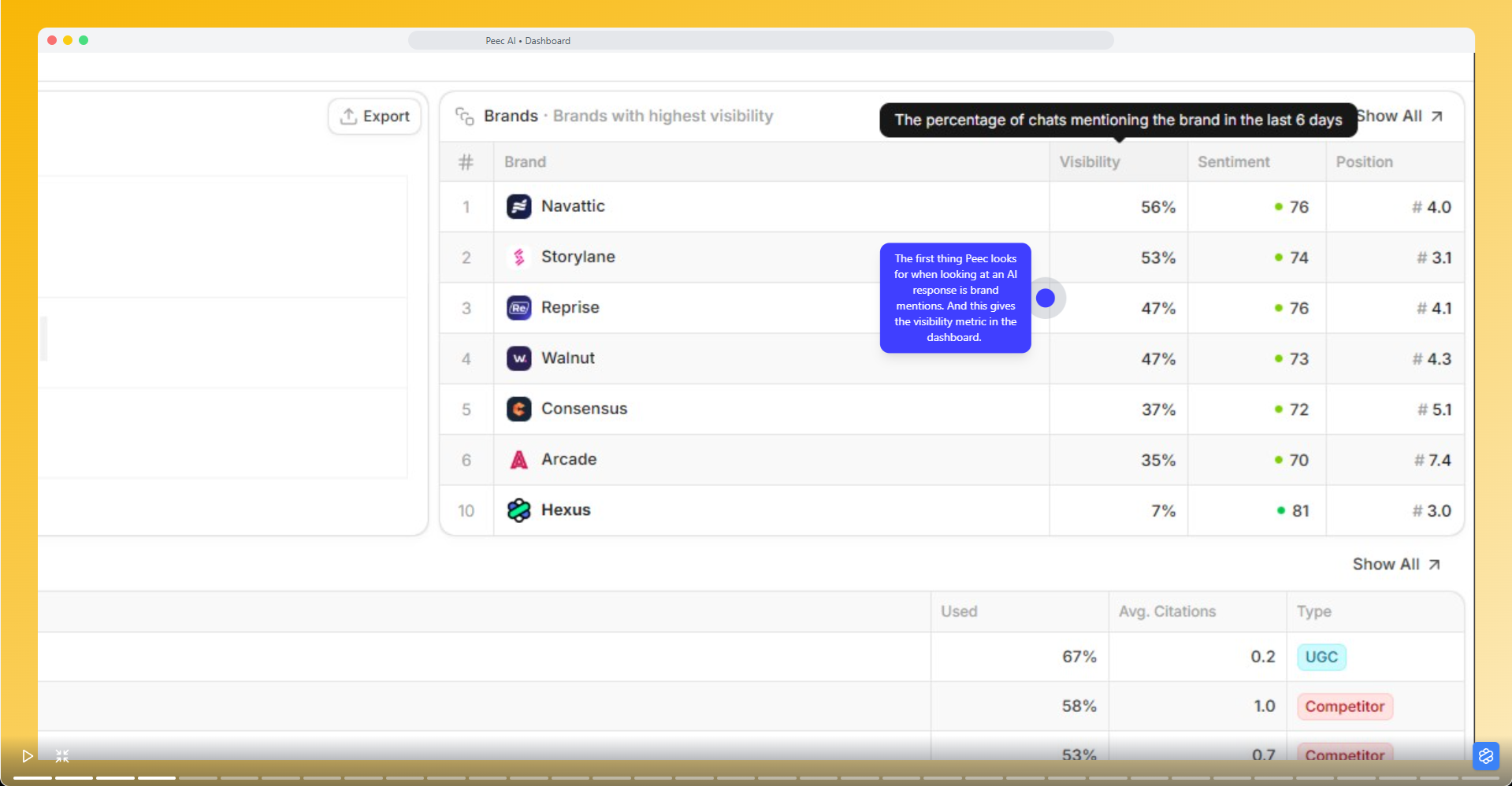
Visibility shows me how often AI assistants reference my brand across prompts. If that number is low, nothing else really matters.
Sentiment tells me whether those mentions feel positive, neutral, or like something I’d rather not screenshot and send to my team.
Position shows me where I appear in the response.
Seeing these three together explains a lot very quickly.
Teaching Peec What to Watch
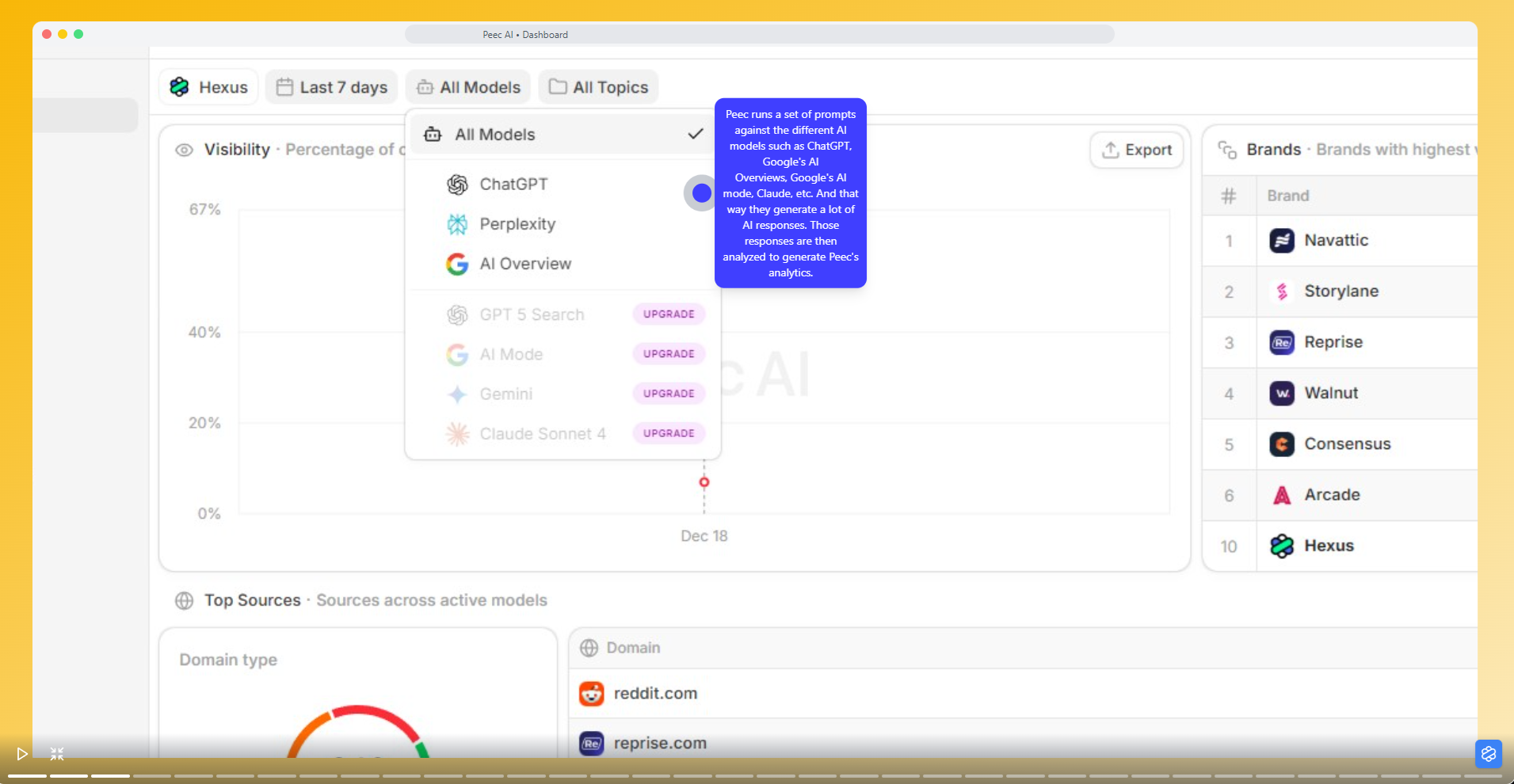
Peec works by running prompts across multiple AI models and analyzing the responses.
So the quality of your insights depends on the quality of your prompts.
Peec recommends topics and prompt ideas based on common industry searches and AI behavior. You can pick what’s relevant, tweak the phrasing, and start monitoring without overthinking it.
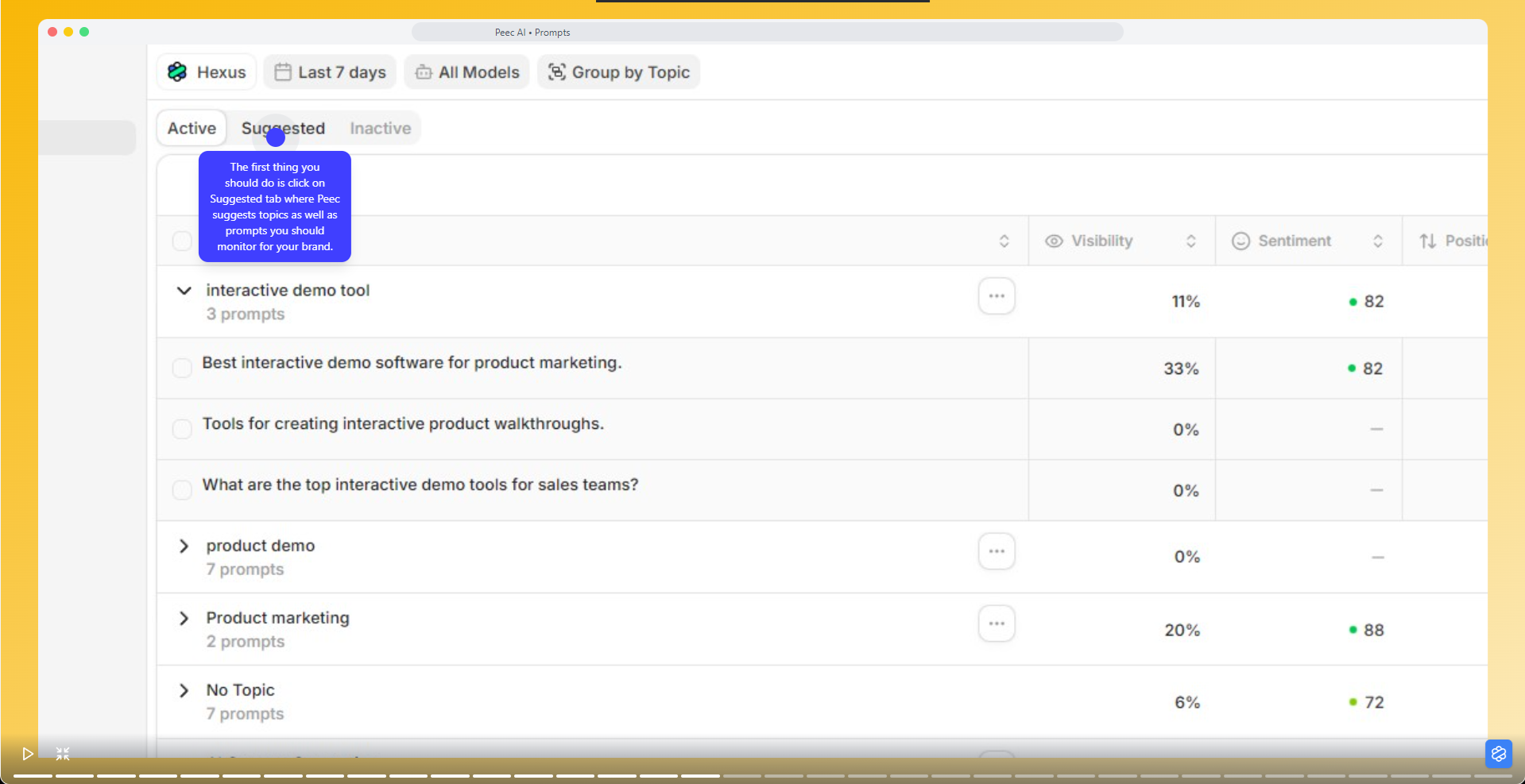
If you want more control, you can create your own topics.
Add a topic name, choose how many prompts you want generated, and Peec fills in the rest. You can also add prompts manually or upload them in bulk, which is useful if you already have a long list of questions your buyers keep asking AI instead of your website.
Once prompts are live, you can click into any one of them and see what’s actually happening:
- Which brands are mentioned.
- How they’re framed.
- What sources the AI is pulling from.
- And whether geography or model choice changes the answer.
Finding Out Who AI Is Actually Listening To
This is where I find Peec very helpful.
For every prompt, Peec shows you the sources AI models rely on to form their answers.
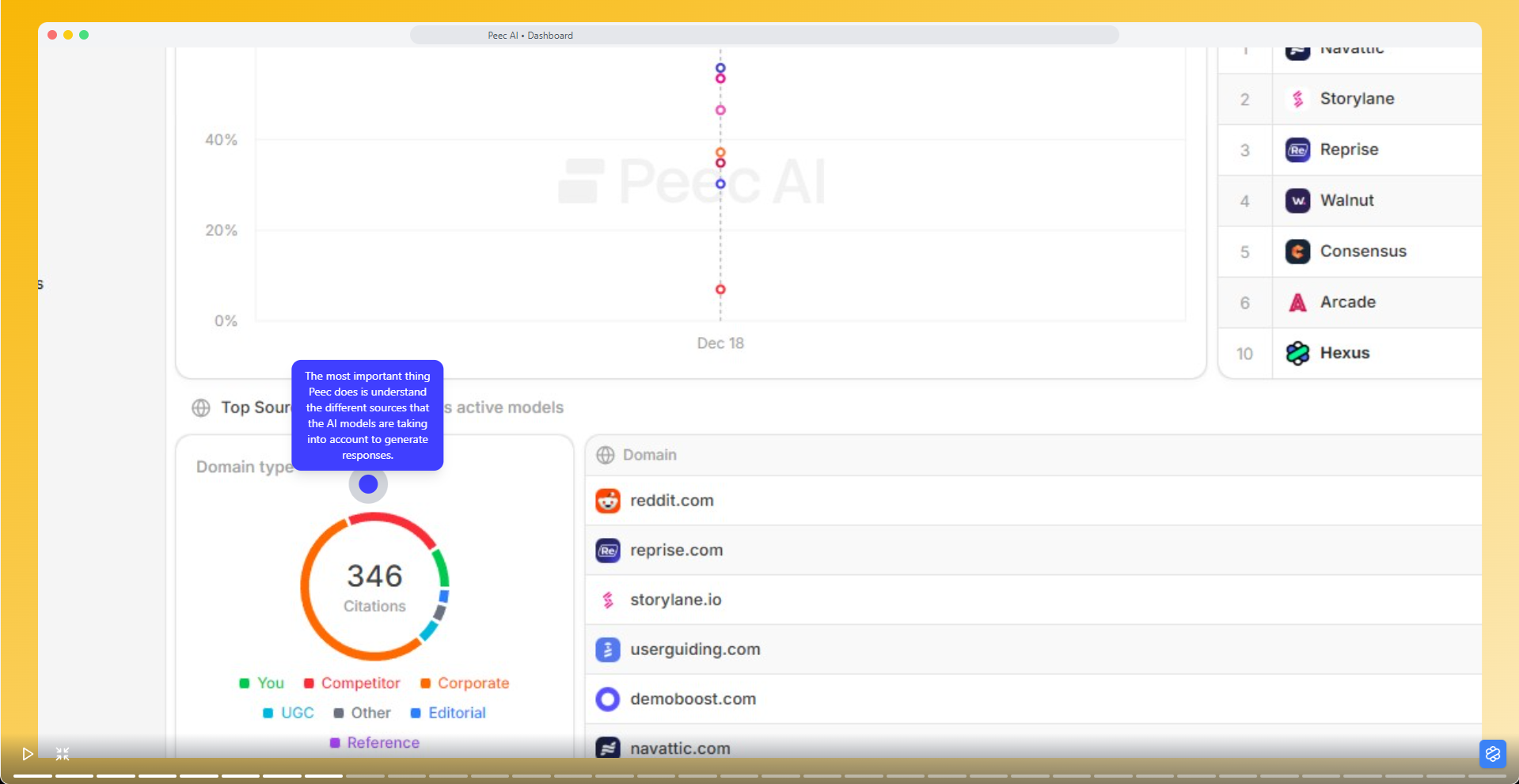
These sources are classified into buckets like competitors, corporate sites, editorial publications, and user-generated content. You can see how often a source is used, how influential it is, and what type of content it represents.
Click into a source and you’ll see the exact pages being cited, along with the content format.
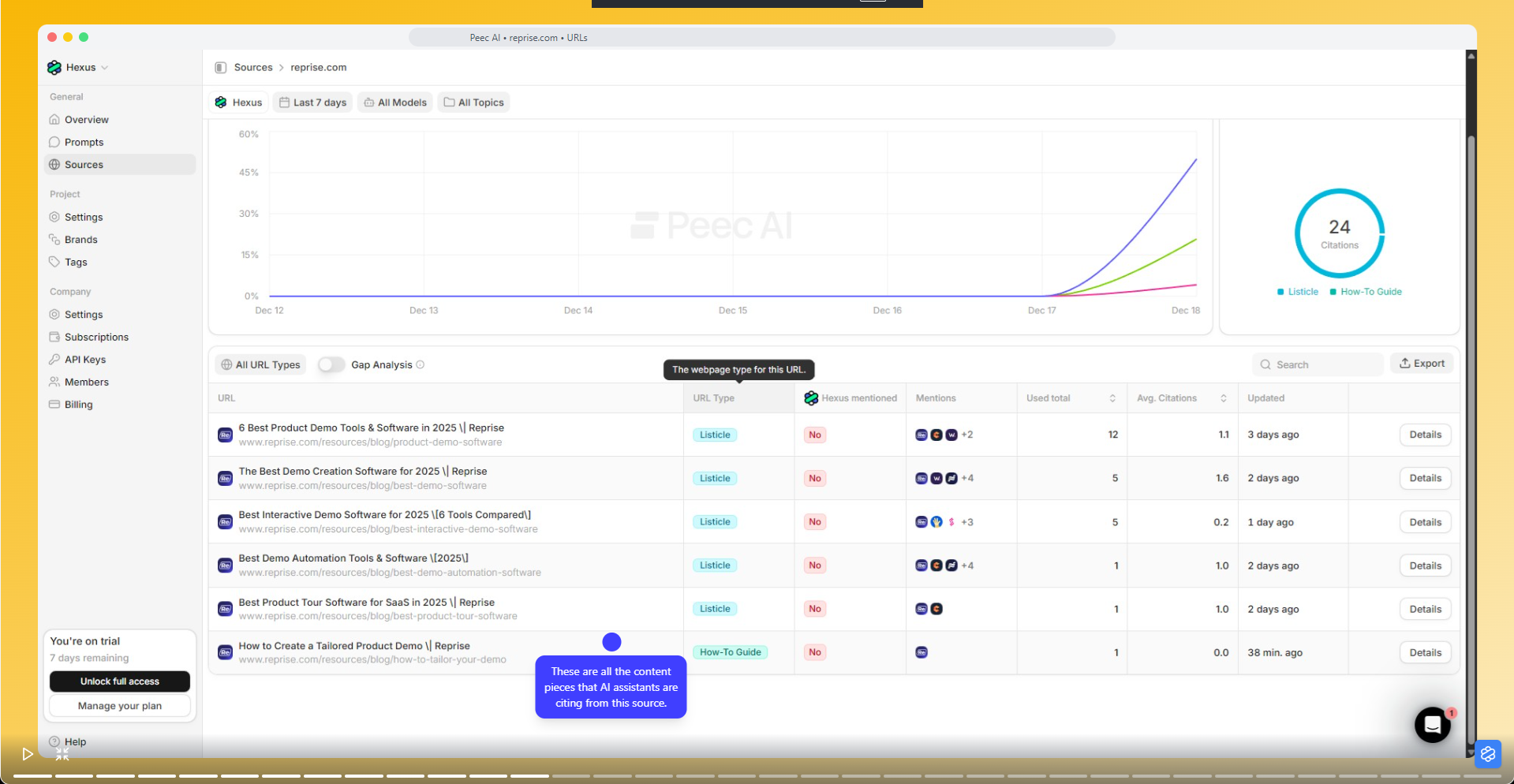
This helps you answer what kind of content AI trusts in a given category. Immensely useful for your content strategy.
Tracking Your Brand Against Everyone Else
In the Brands section, you can track competitors alongside your own brand. Peec suggests relevant players automatically, or you can add them manually if someone important is missing.
From there, every prompt becomes a comparison.
This makes it painfully clear where competitors are outperforming you and where you’re winning.
Turning Insights Into Something Useful
Peec won't magically fix your AI visibility but it does remove the excuse of not knowing what’s happening.
Use it to spot content gaps, prioritize editorial outreach, refine messaging, and course-correct brand perception before it turns into a problem slide in a quarterly deck.
This blog was created using Hexus in <5 mins. Hexus enables you to create product demos, videos, and guides from one collaborative platform that automates 90% of content work with AI.
- Use it for website demand generation, product launches, and sales enablement
- Automatically blur sensitive data, add contextual highlights, callouts, and pointers.
- Collaborate across functions with shared folders and feedback, while localizing content into 20+ languages instantly.
-Track performance with real-time analytics and refresh content with just a few clicks

.png)


