
Creating an AI-powered automation in Gumloop

Gumloop is a no-code automation platform that lets you build AI-powered workflows. I like to think of it as Zapier's nerdy cousin who went all-in on AI. For product marketers, it can handle all the tedious stuff that eats up your launch prep time. You can automate SEO workflows, scrape competitor data, process documents, and chain together different AI models to generate content variations.
Keeping up with industry news feels can sometimes feel like drinking from a fire hose.
Every morning, you open your laptop to hundreds of articles, newsletters, and updates fighting for your attention.
You scan headlines, open tabs you'll never read, and try to figure out what actually matters. By the time you find something useful, half your day is gone.
Most people handle content curation the hard way.
They check multiple news sites, their fave newsletters, Substack, scroll through social media.
The real time sink is reading through everything to figure out what's worth keeping, trying to remember the good bits, and attempting to organize it all for later.
This approach eats 2-3 hours of your day, and you still miss important updates. Your bookmarks folder becomes a graveyard of articles you swear you'll read eventually.
When you need to reference something from last week, good luck finding it.
Gumloop can actually automate this entire process.
You can build a workflow that searches the web for articles on your specific topics, extracts key insights, categorizes everything, and delivers it to your inbox in an organized Google Sheet.
The platform handles the grunt work while you focus on actually using the information.
Building Your Automated Research System
Head to the Gumloop Pipeline page where you'll build your workflow.
Start by adding an Input node to define what topic you want to track.
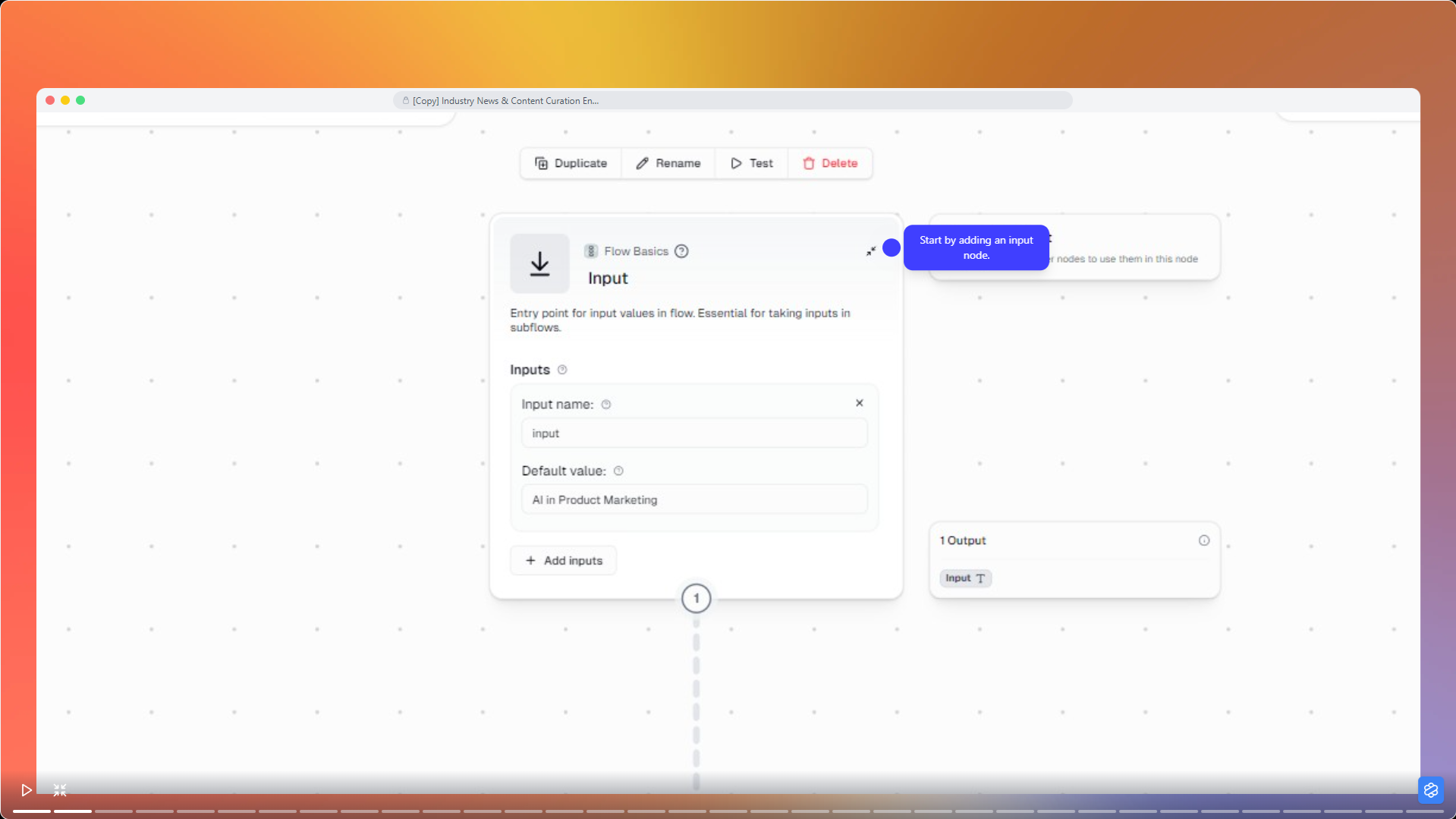
If you're following AI developments in product marketing, enter that as your default value.
The flexible setup means you can change topics anytime without rebuilding everything.
From there, you connect different nodes that each handle a specific task.
The visual interface shows how data flows through your pipeline, so you can see exactly what's happening at each step.
Finding Relevant Articles With AI Web Research
The AI Web Research node is the core of your system.
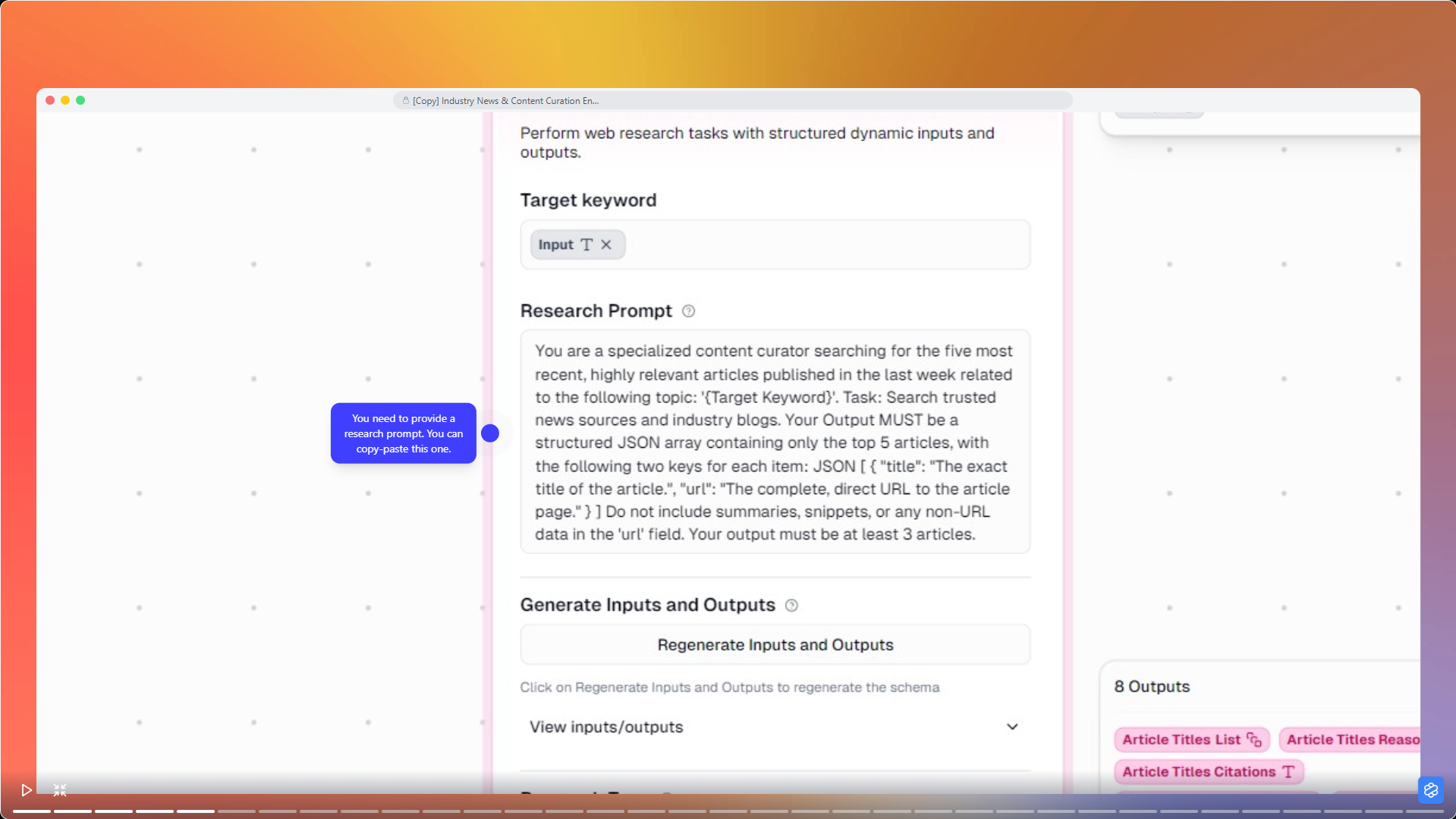
When you add this node, you'll write a research prompt that tells the AI exactly what to find.
Be specific. Instead of "find articles about AI," try something like: Find the five most recent articles published in the last 7 days about AI applications in product marketing, focusing on practical implementations and case studies.
The AI Web Research node searches the web and evaluates articles based on your criteria.
The node provides eight different outputs, including article URLs, titles, and metadata that feed into your next steps. The more specific your prompt, the better your results.
Extracting What Matters From Each Article
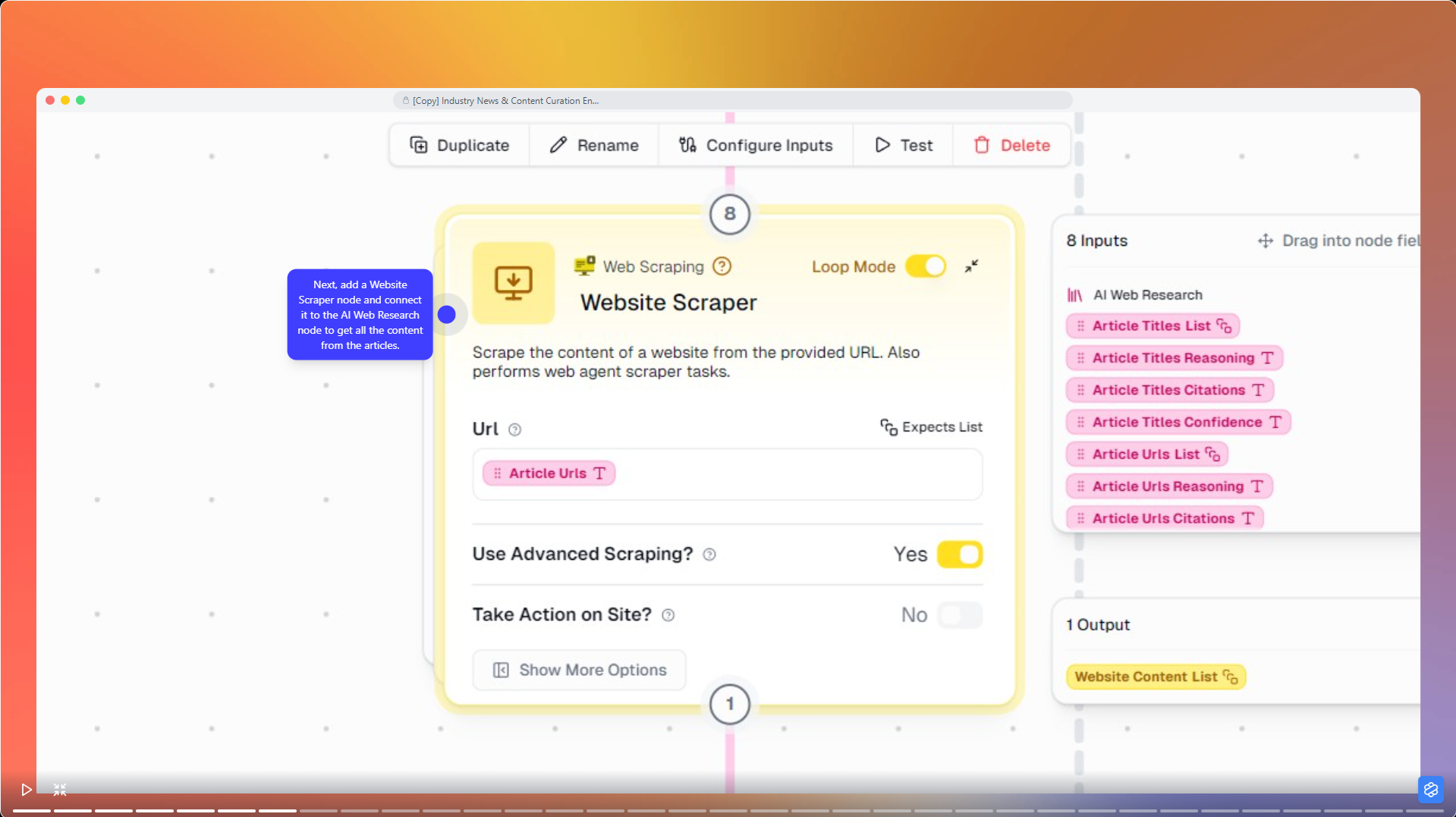
Once the AI identifies relevant articles, the Website Scraper node visits each URL and extracts the full content.
It ignores ads, navigation menus, and other clutter to focus on the actual article.
You just specify "Article URLs" in the URL field, and it handles the rest.
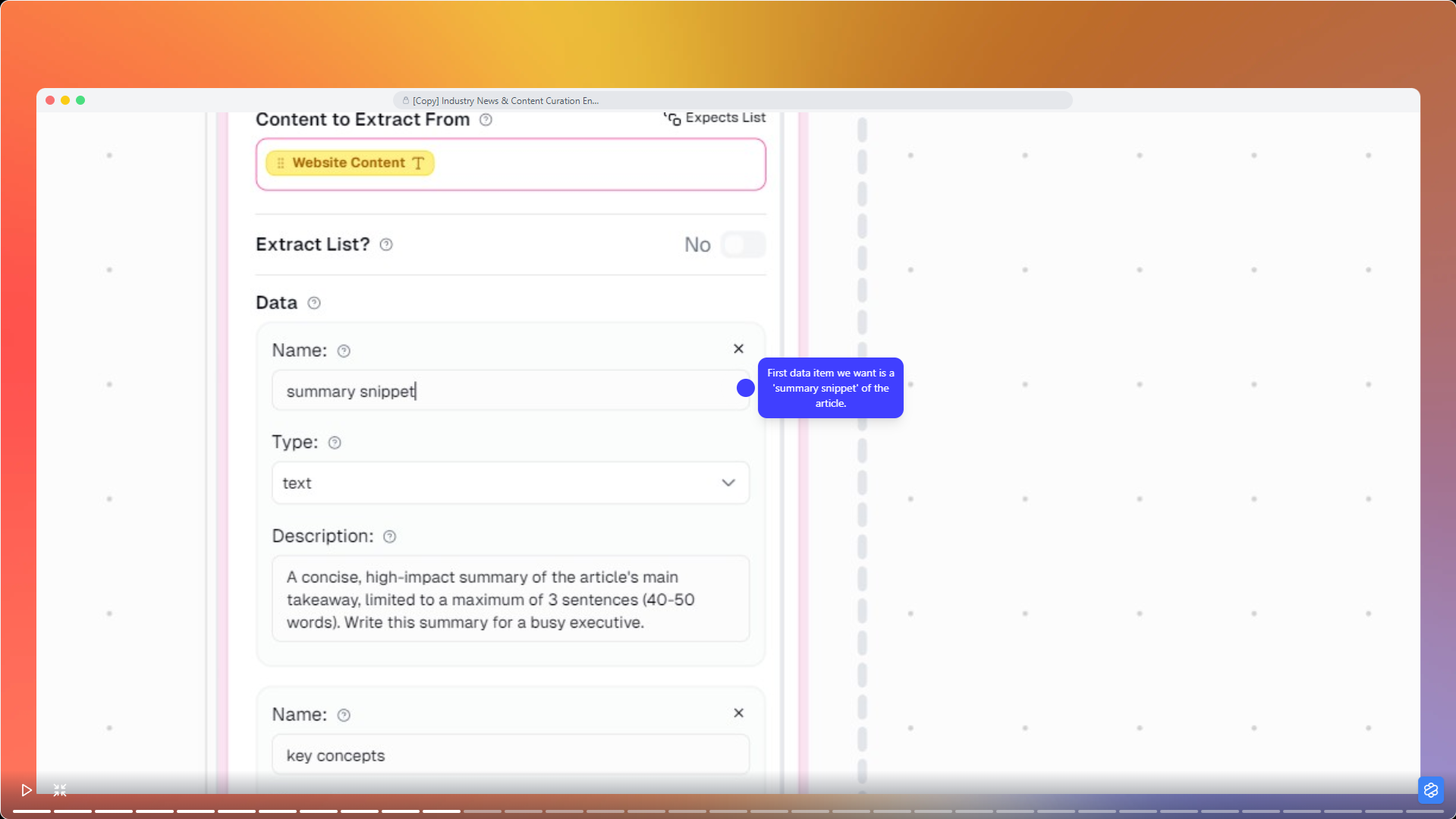
The Extract Data node is where things get useful. This node uses AI to pull out specific information you care about.
For each piece, you might pull a three-sentence summary that captures the main takeaway, identify key concepts like "Zero-Trust Architecture" or "Product-Led Growth," and classify the reading level as Beginner, Intermediate, or Expert based on complexity.
When you configure data extraction, you define exactly what each field means.
For summaries, you might specify: A concise summary of the article's main takeaway, limited to three sentences that helps a busy executive decide if this article is worth their time.
For key concepts: The single most important technical or business concept introduced in the article—something that represents a significant trend or methodology.
The reading level classification helps you quickly identify which articles need deep focus versus which ones you can skim.
The default GPT-4.1 Mini model works well for this task, though you can choose other models based on your needs.
Automatic Content Categorization
Organization is what turns a pile of articles into something you can actually use.
The Ask AI node handles this by automatically sorting your content into categories.
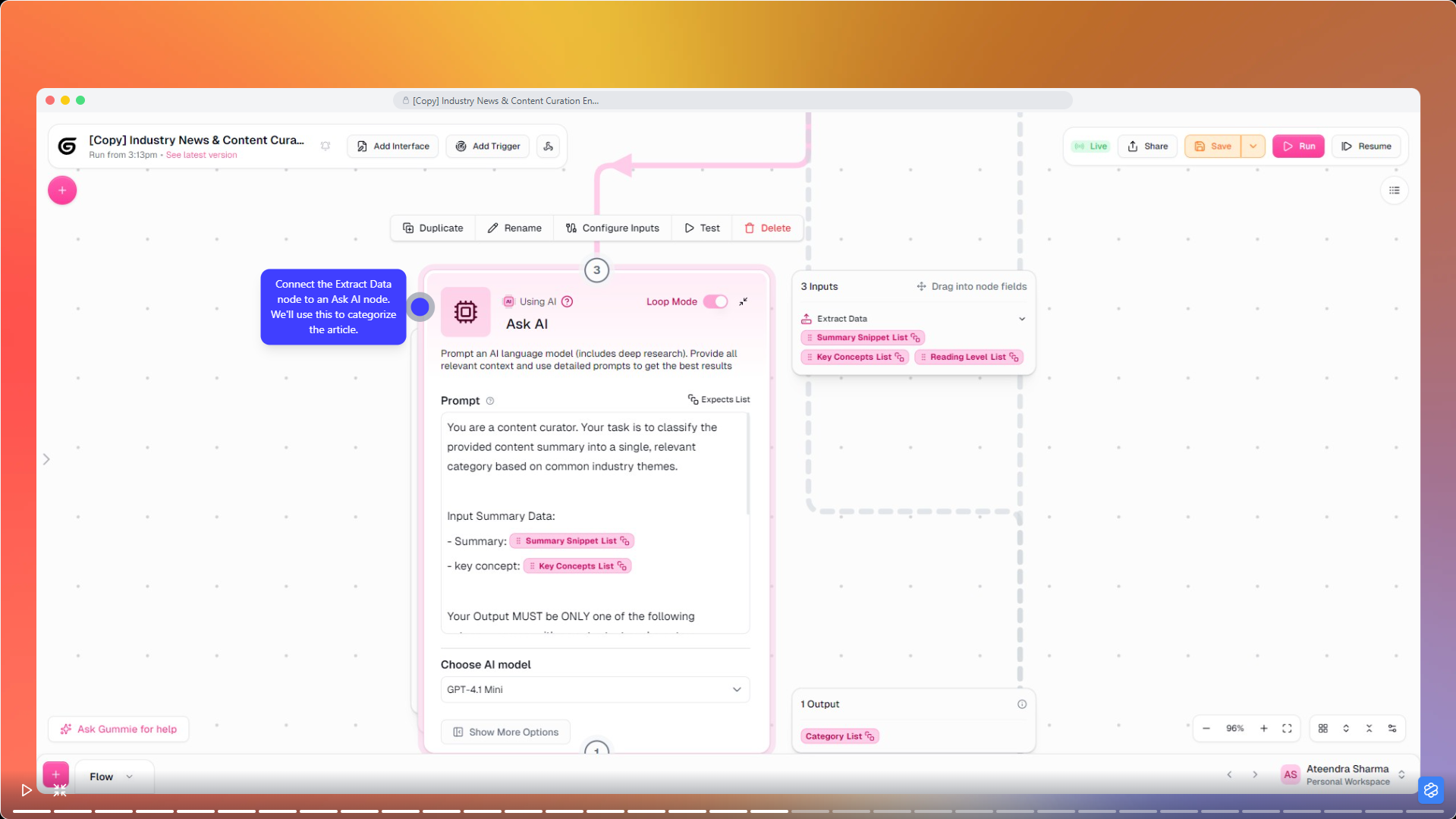
Connect your Extract Data node to an Ask AI node and write a classification prompt.
Your prompt might say: Classify the provided content summary into a single relevant category that would be most useful for a corporate strategy team.
Define categories based on what you need. For AI in product marketing, you might use Market Trends, Policy & Regulation, Product & Innovation, Investment & Funding, and Opinion & Analysis.
The AI reads each article's summary and assigns the most appropriate category.
Connecting Everything to Google Sheets
The Google Sheets Writer node is where all your hard work pays off. Connect your AI Web Research, Ask AI, and Extract Data nodes to this writer node, and watch all your curated information flow into a single, structured location.
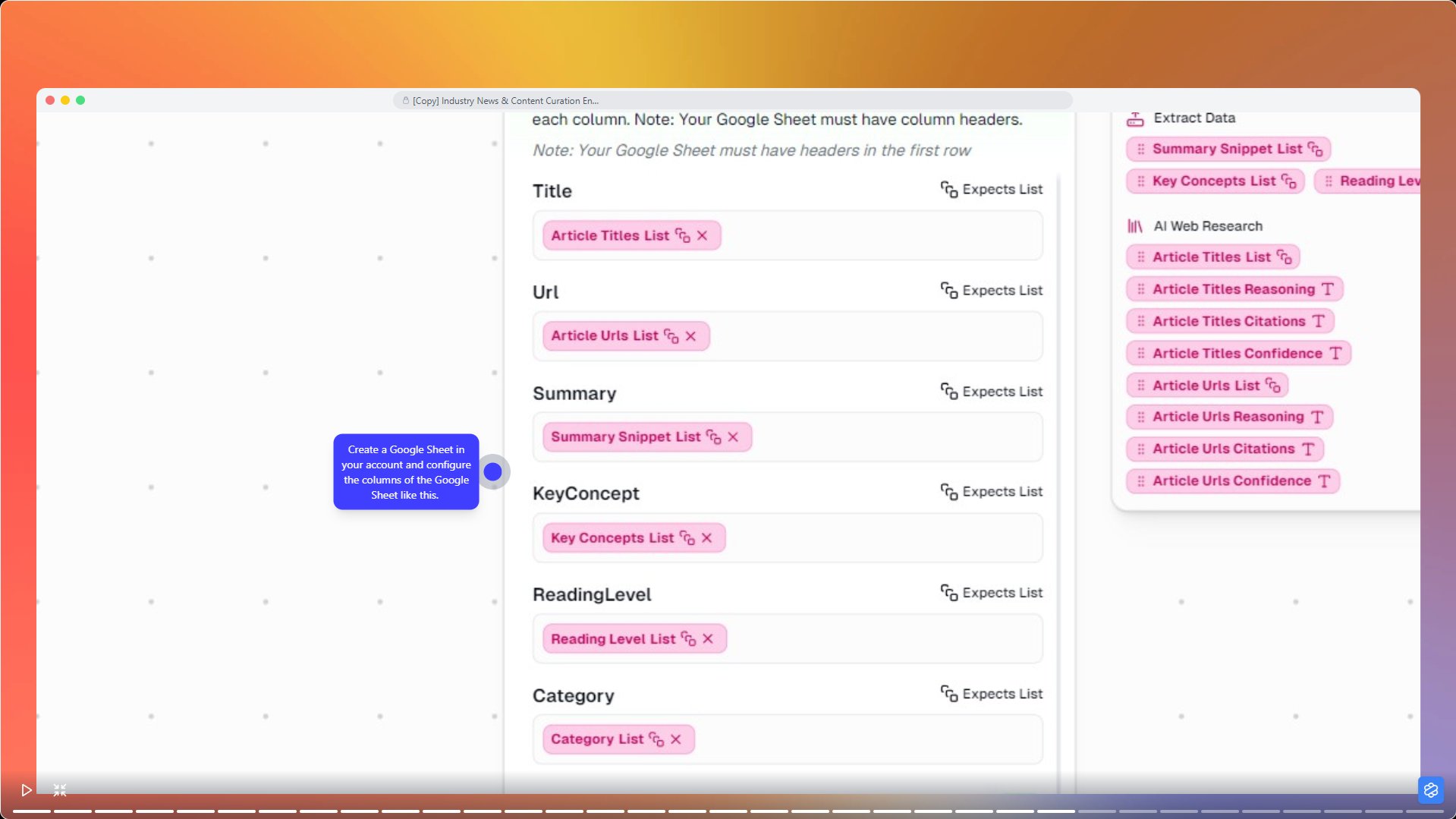
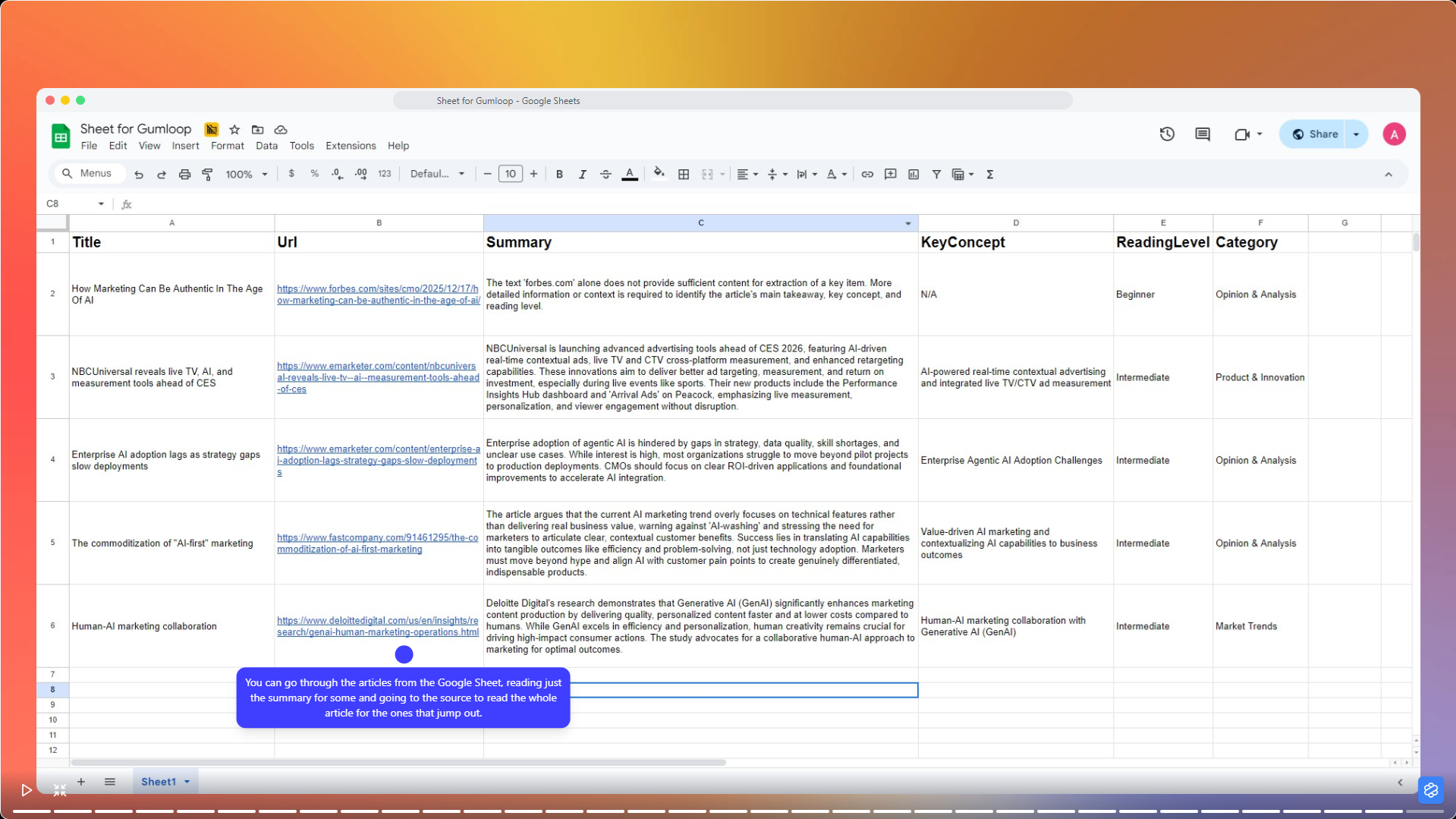
You get a living document that grows with each run.
Sort by category when you're feeling organized, filter by reading level when your brain is operating at 30% capacity, or search for key concepts when someone asks you a question in a meeting and you need to sound informed immediately.
Real-World Applications
Product marketing teams can use this system to track competitor launches and identify market gaps.
Competitive intelligence teams can set up separate pipelines for each competitor, automatically categorizing news into product updates, funding rounds, executive changes, and strategic partnerships. The organized output becomes their single source of truth.
Content strategists can run this automation to spot trending topics and content gaps. By analyzing what's being published and categorizing it by theme, they can discover opportunities for original content. The key concepts extraction will show which technical terms and ideas are gaining traction.
Advanced Tips and Next Steps
You can enhance your workflow with features that make it unnecessarily complex, which is how you know you're getting good at this.
Add a deduplication step to handle articles that appear on multiple sites because apparently everyone copies each other's homework on the internet.
Set up conditional routing based on article characteristics. High-priority articles (like those mentioning your company or key competitors) could trigger immediate Slack notifications that interrupt your flow state. General industry news goes to your weekly digest where it gets ignored with the rest of your email.
Build a feedback loop by adding a column for "Action Taken" or "Relevance Rating." Over time, you can use this data to refine your prompts and extraction criteria, making your system increasingly intelligent. Or you could just rate everything five stars and move on with your life. Both approaches are valid.
Your automated content curation system will handle the soul-crushing work of staying informed, leaving you free to do other soul-crushing work that at least pays you directly.
You get relevant, organized, actionable intelligence delivered exactly how you want it, while AI reads the entire internet every morning.
Welcome to the future, where robots do your homework and you still have to pretend you did it yourself.
This blog was created using Hexus in <5 mins. Hexus enables you to create product demos, videos, and guides from one collaborative platform that automates 90% of content work with AI.
- Use it for website demand generation, product launches, and sales enablement
- Automatically blur sensitive data, add contextual highlights, callouts, and pointers.
- Collaborate across functions with shared folders and feedback, while localizing content into 20+ languages instantly.
-Track performance with real-time analytics and refresh content with just a few clicks

.png)


